Revamped Windows 11 Recall: What’s New, What’s Improved, and What Still Concerns Users!
2025-04-21
Author: Jessica Wong
Microsoft Revives Controversial Recall Feature for Windows 11
Microsoft is making waves again by reintroducing its Recall feature for Windows 11—but with a twist! Initially restricted to the elusive Copilot+ PCs, the feature has a troubled past due to privacy concerns surrounding its data collection methods.
The Problems with the Original Recall
Remember the uproar? The original Recall, which recorded nearly everything on your PC, was rushed and brought to light glaring security vulnerabilities. Users expressed outrage after discovering the feature was enabled by default, lacked adequate data filters, and left sensitive information like credit card numbers exposed. Security experts and journalists voiced serious concerns, prompting Microsoft to hit the brakes on its launch.
What's Changed in the New Recall?
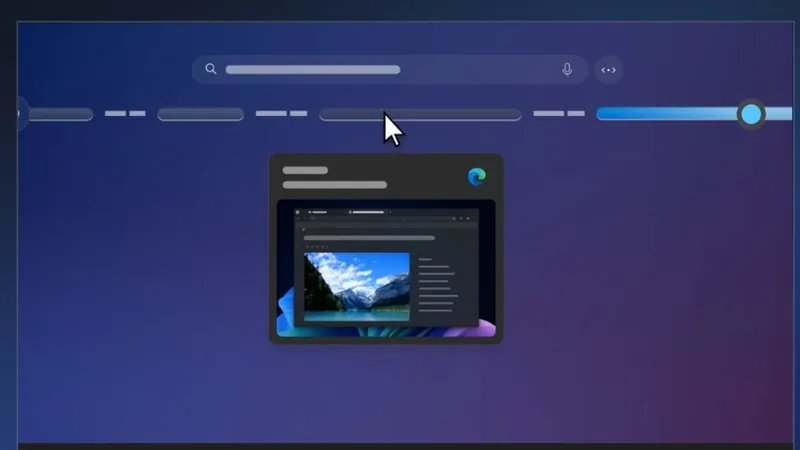
Fast forward to now: Recall is being previewed for the Windows Insider Release channel. Unlike its predecessor, it’s turned off by default and can easily be uninstalled. Microsoft has revamped the security architecture, implementing data encryption, automated sensitive content filters, and requiring regular reauthentication through Windows Hello to access saved data.
How Does Recall Work Now?
Upon installing the latest version, users are greeted with a set-up screen that outlines Recall’s functionalities. Opt in, and the feature starts snapshotting your screen while filtering irrelevant content—though it only scrapes text from the active, in-focus app, simplifying the data collection process.
The New Features You Should Know About
Here are jaw-dropping highlights of the revamped Recall: - **User-Specific Settings**: Each user's settings are independent, ensuring privacy. - **No Internet Required**: Recall operates seamlessly offline. - **Security Boosts**: Local disk encryption is mandatory, and Windows Hello verification keeps unauthorized access at bay.
A Cautious Optimism: New Filtering and Encryption
Major upgrades also include automated content filtering to prevent sensitive information from being recorded. This is a substantial improvement over the past, although it is not foolproof. While it may successfully avoid taking screenshots of your banking details, some edge cases remain.
Lingering Concerns Regarding Security
Despite these advances, potential vulnerabilities persist. The ease with which someone can access Recall data, a concern echoed by security expert Kevin Beaumont, leaves room for fear, especially among security-conscious users. The fallbacks, such as using a Windows Hello PIN for access instead of strict biometric authentication, could create risks.
The Trust Factor: Will Users Embrace Recall?
Despite improvements, skepticism looms large over Microsoft’s intentions. Many users are still haunted by the initial botched rollout and may opt to steer clear of Recall altogether. This hesitation is compounded by the broader concerns surrounding Microsoft’s data privacy reputation, especially amid the endless ads and cross-promotions that have sullied user trust.
Final Thoughts: Is Recall Ready?
Ultimately, while Microsoft has made strides to address the initial controversy surrounding Recall, the shadow of its past continues to loom large. Users remain cautious about adopting a feature that, despite assurances, still feels invasive.

 Brasil (PT)
 Canada (EN)
 Chile (ES)
 Česko (CS)
 대한민국 (KO)
 España (ES)
 France (FR)
 Hong Kong (EN)
 Italia (IT)
 日本 (JA)
 Magyarország (HU)
 Norge (NO)
 Polska (PL)
 Schweiz (DE)
 Singapore (EN)
 Sverige (SV)
 Suomi (FI)
 Türkiye (TR)
 الإمارات العربية المتحدة (AR)